The games you're waiting for and the ones you still have to finish.
Backlog tracks releases with a countdown, reminds you on launch day and organizes your whole collection, from “To play” to “Completed”. On iPhone, iPad and Mac, synced with iCloud.
Free for up to 50 games · iOS, iPadOS and macOS 26 or later- No account to create
- No ads or tracking
- Synced with iCloud
- iPhone, iPad and Mac
- In English and French
Release dates, reminders, game pages and stats in one place.
Never miss a release.
Every game you're waiting for gets a countdown. A reminder lets you know on release day, the day before or a week ahead, at the time you choose. If the date changes, you get an alert.
- Dates by platform, by day, month or quarter
- Delay and new-platform alerts
- Upcoming shows and showcases, with a reminder before they start
Every game in detail, at a glance.
Metacritic scores and Steam reviews, game lengths, today's best price, screenshots, trailers, studios and series: you have what you need to pick what to play tonight.
- Steam player reviews, readable in the app
- HowLongToBeat lengths for solo, co-op and competitive
- Prices by store, deals, Game Pass and PS Plus
From “To play” to “Completed”.
Search the IGDB database and add a game in one move. Each game has its status, your rating, your playtime and your dates. Stats show your genres, platforms and ratings.
- Filters, per-status sorting, search within your collection
- Interactive stats: tap or click a bar to see its games
- Full CSV import and export, history included
Your collection, now on the big screen.
On Mac, Backlog has its own sidebar, menus and keyboard shortcuts. iCloud syncs your games and ratings there.
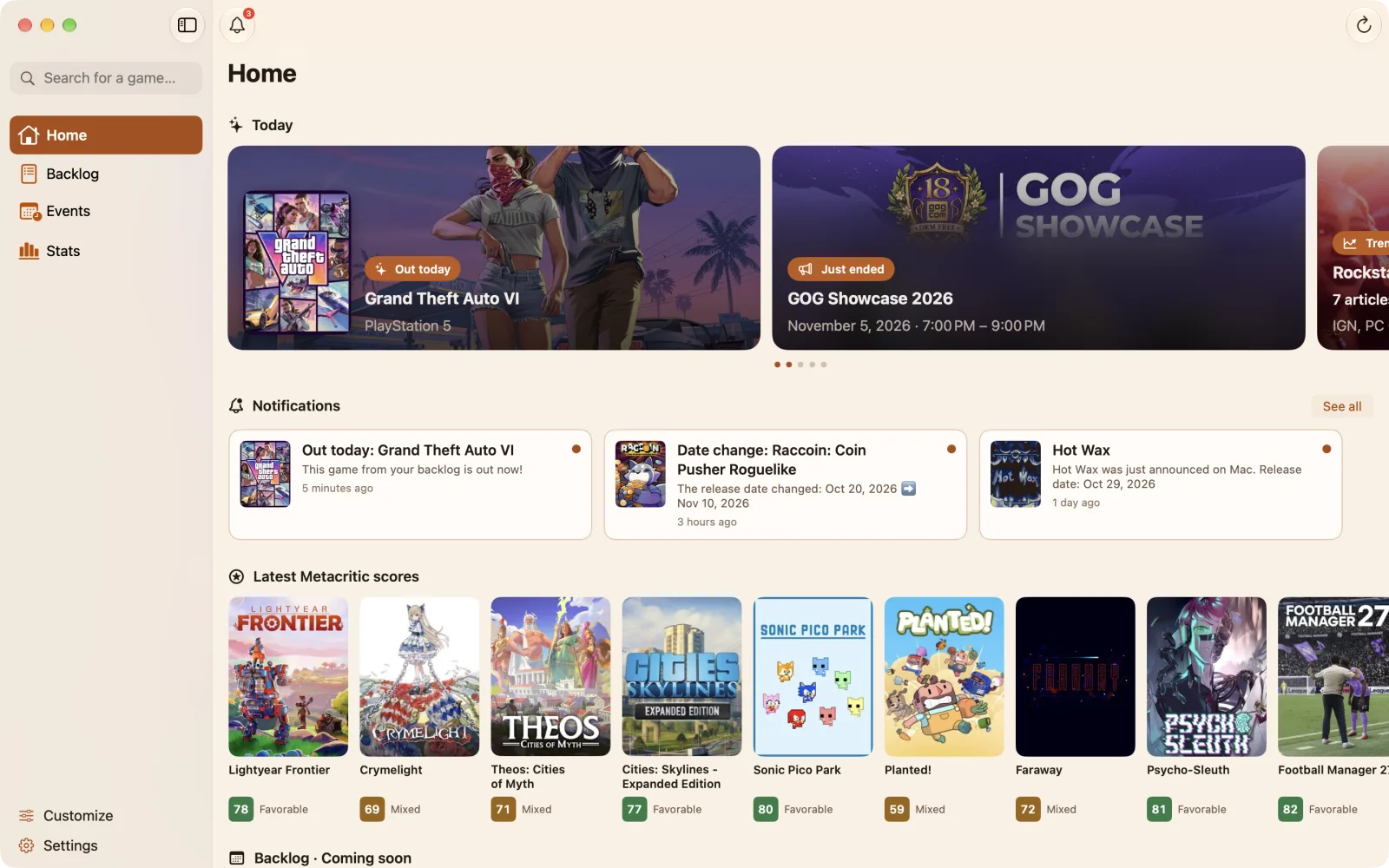
- One purchase for iPhone, iPad and Mac
- Desktop widgets
- macOS 26 or later
Widgets
“Coming soon” and “Recent releases” on your Home Screen or desktop, updated every midnight.
iCloud, no account
Your games stay in your iCloud and follow you from iPhone to iPad and Mac.
Events
Upcoming and ongoing shows and showcases, with the games and videos announced.
Your way
Reorder Home, Stats and the game page, and choose a sort for each status.
Frequently asked questions
Do I need an account?
No. Your data is saved in your iCloud account and syncs across your Apple devices.
Where does the game information come from?
IGDB for game pages and dates, Steam for player reviews, Metacritic and HowLongToBeat for scores and lengths.
What happens beyond 50 games?
All your games stay put. Only adding new games requires Premium.
Can I import my existing list?
Yes, from a CSV file. The export includes everything, statuses, ratings and history.
Which devices?
iPhone and iPad with iOS and iPadOS 26 or later, and Mac with macOS 26 or later.
A question, a bug?
Write to us from the app (Settings ▸ Contact us) or by email. We answer in English or French.
Your games stay in your iCloud.
Backlog has no ads or tracking, and we can't access your collection.
Try Backlog for free.
Available on the App Store, for iPhone, iPad and Mac.